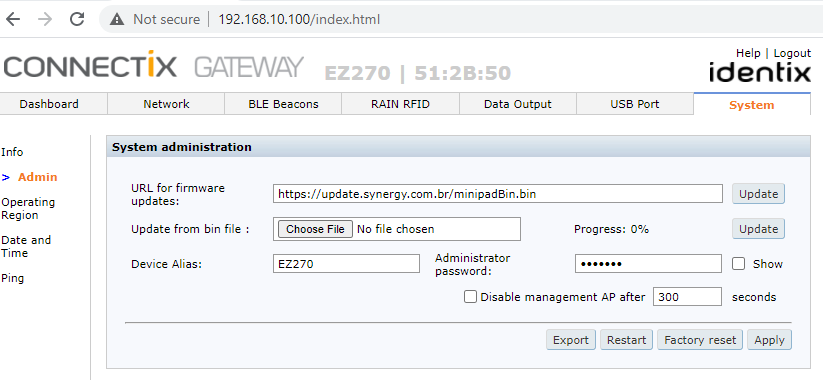
Resetting mPad+, rPad+, EZ230 and EZ270 to the factory defaults
To reset these devices to the factory defaults execute the following steps:
- Open the gateway administration interface
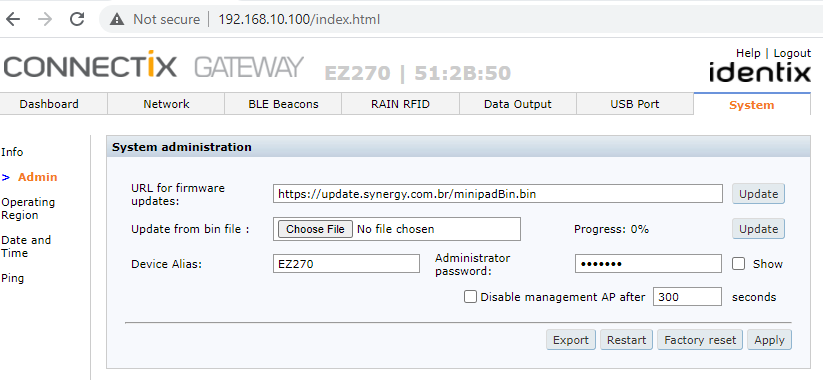
- Go to System/Admin menu and hit the “Factory reset” button.
- Please wait the device to reboot. After rebooting the device LED light will go white, then green and then white again
- After it goes white for the second time, remove the device from the power source
- After you reconnect, the device will go white again, then green and after that it will restart automatically
- After the device restarts, remove it one more time from the USB port and reconnect ii back to the USB port
Downloads
Section titled “Downloads”- mceclip0.png (43 KB)